
Our recommendations
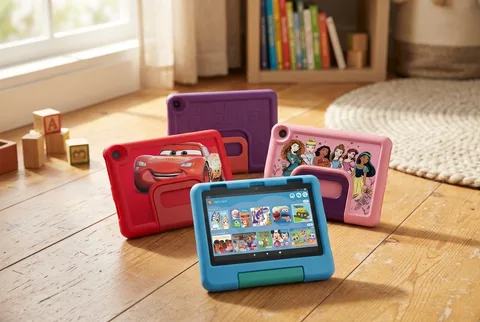
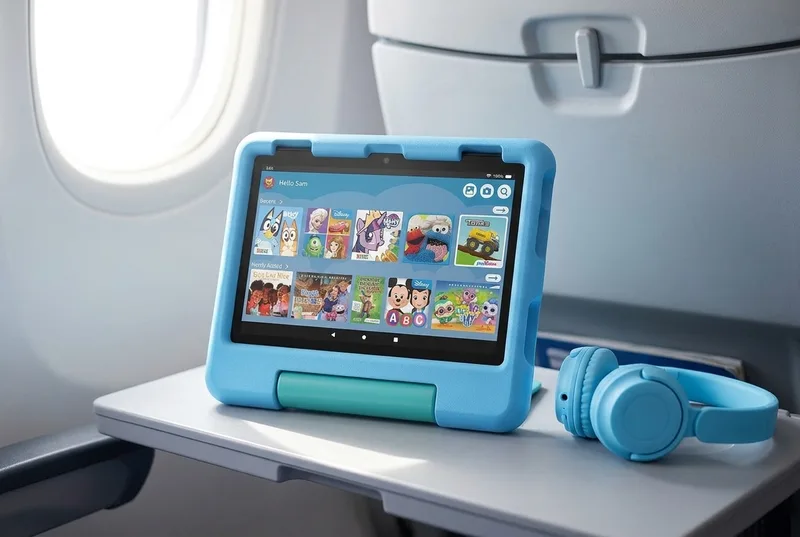
Amazon Fire HD 8 Kids (2024, 12th Generation)
Check priceWorth knowing
- In owner threads, families describe using the Fire mainly for downloaded shows on trips. Some skipped Kids+ renewal and say their Netflix, Disney+ and PBS Kids downloads kept working
- Next to an iPad, owners describe the Fire as slow and clunky. Some also report stubborn downloads before flights and titles that become geo-locked abroad
- The 8-inch 2024 tablet comes in 32GB and 64GB versions, and both take a microSD card
Community discussions: r/Parenting · r/toddlers · r/fosterit
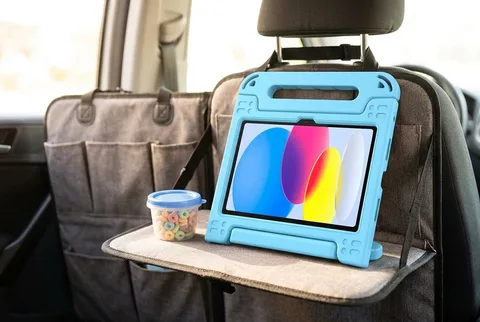
Apple iPad (A16) with BMOUO Kids Case
Check priceWorth knowing
- Owners describe older and secondhand iPads staying in family use for years and outlasting kids’ Fire tablets, with app approvals handled from a parent’s iPhone
- The current 11-inch A16 comes in 128GB, 256GB and 512GB
- Apple’s wider app library matters when the tablet will be used at home too, not only on trips
Community discussions: r/Parenting · r/fosterit
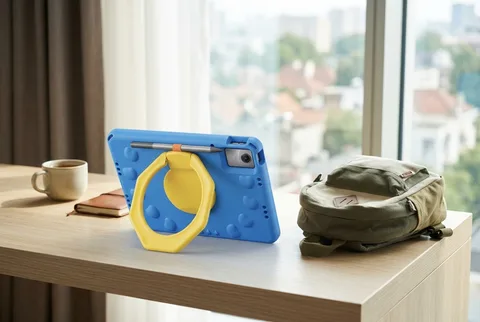
The shortlist
| Pick | Best for | Skip it if |
|---|---|---|
| Our pickAmazon Fire HD 8 Kids (2024, 12th Generation) | 8-inch, case included | Lives in Apple apps |
| Best long-term tabletApple iPad (A16) with BMOUO Kids Case | 11-inch iPad, most apps | Wants a low-cost bundle |
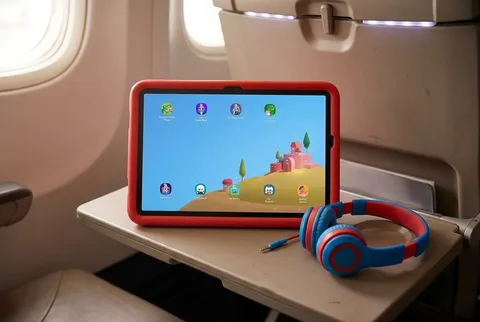
| Best Android optionSamsung Galaxy Tab A11+ Kids Edition | 11-inch Android, case included | Wants the simplest bundle |
| Budget big-screen pickLenovo Idea Tab 11 with ProCase Kids Case | 11-inch 2.5K with microSD | Needs the best kid content |
Set up a kids tablet before the trip
A download icon is no promise that a show will play on the plane. The child profile or subscription may ask for a connection first. Run the trial at home, where you can fix it.
- Install updates and create the child profile while you have Wi-Fi. Set the parent PIN and purchase controls before handing the tablet over.
- Choose the shows, books, music and games for this trip. After downloading them, turn on airplane mode and launch each one from the child profile; offline rights differ by app and title.
- Once the downloads finish, check free storage. A microSD card helps on the compatible Fire and Android models, but apps don’t always put everything on removable storage.
- Pack the right USB-C cable and wall adapter for the exact tablet. For the Galaxy Tab A11+ Kids Edition, Samsung sells its 25W wall charger separately.
- Keep the tablet in carry-on bags when you can. FAA guidance says a lithium-battery device in checked bags must be completely powered off and protected, and spare batteries have to stay in carry-on.
- Keep the parent password somewhere you can reach without the tablet. Hotel or airplane Wi-Fi may not be enough to restore a profile or approve a new download.
Common questions
What is the best kids tablet for airplane travel?
For a travel-only screen, start with Fire HD 8 Kids if Amazon’s app selection covers what your child watches. The case and Kids+ trial are included; parents repeatedly report slow menus. The iPad (A16) is the costlier option for families already using Apple apps, with a separate case to buy.
Do kids tablets work without Wi-Fi?
Some do. Each app and subscription sets its own rules, so a saved episode may still ask for a connection. At home, switch on airplane mode and open the actual downloads from the child profile. That catches a failed title while you can still choose another.
How much tablet storage is enough for travel?
The Fire comes in 32GB and 64GB versions and accepts microSD; the iPad (A16) starts at 128GB. Load the shows and games you plan to bring, then look at the free space. Apps may not put everything on a Fire’s memory card.
Is a Fire tablet or an iPad better for kids?
Fire takes less setup if its app store has your child’s favorites. It comes with a case and Kids+ trial, but owners often call its interface slow. The iPad costs more; owner discussions describe older iPads staying in family use for years. That is feedback on those models, not a hands-on durability finding for the A16.
How I narrowed it down
Matt’s kids have used the family’s iPad Pro for 3–4 years. He says it has held up well on trips with Wi-Fi and downloaded content. That experience is with a different model, not the iPad (A16) and BMOUO case recommended below. The listed tablets were checked against makers’ offline guidance, case details and owner reports.
- Matched every tablet and case to its current generation or model number in the maker’s documentation.
- Went through storage and expansion, child-profile controls, what comes in the box, which charger it needs, and how much has to be set up while Wi-Fi is still around.
- Marked the details most likely to change after we publish, including subscription terms, app rules, storage configurations and how long software support lasts.
Matt is a Seattle dad of two boys, six and three. He's an engineer by habit and would rather read the spec sheet twice than send something back. Most guides here are research: product listings, safety guidance, recall records and what owners keep complaining about. The few things his family has actually used are marked personally tested, and nothing else is dressed up to look that way. He also keeps a weekly list of federal recalls on children's products. Read the review standards.
Sources
- Amazon — 2024 Fire HD 8 lineupAccessed July 29, 2026
- Apple — iPad (A16) technical specificationsAccessed July 29, 2026
- Samsung — Galaxy Tab A11+ Kids EditionAccessed July 29, 2026
- Lenovo — Idea Tab product specificationsAccessed July 29, 2026
- Federal Aviation Administration — portable electronic devices with batteriesAccessed August 13, 2026
- r/Parenting owner discussion — iPad vs Fire for flightsAccessed August 21, 2026
- r/Parenting owner discussion — using a Fire Kids tablet after cancelling Kids+Accessed August 21, 2026
- r/toddlers owner discussion — long-haul flights with a Fire tabletAccessed August 21, 2026
- r/fosterit owner discussion — Fire tablet vs iPad for kidsAccessed August 21, 2026
- r/androidtablets owner discussion — Idea Tab 11 owner reportsAccessed August 21, 2026
- r/androidtablets owner discussion — Idea Tab performance expectationsAccessed August 21, 2026
- Amazon — Fire HD 8 Kids, 2024 release, 64GB BlueAccessed September 16, 2026